
One tap for the drive. One for the work.
Your fitters clock in the app, right on the project. Every tap ends the section before it. The office checks, approves and has the timesheet without typing up a slip of paper.
- Arrival, work, break and departure with one tap each
- Works without a connection and syncs later
- Approval in the office, timesheet as a PDF per project


30-day money-back guarantee. No credit card.
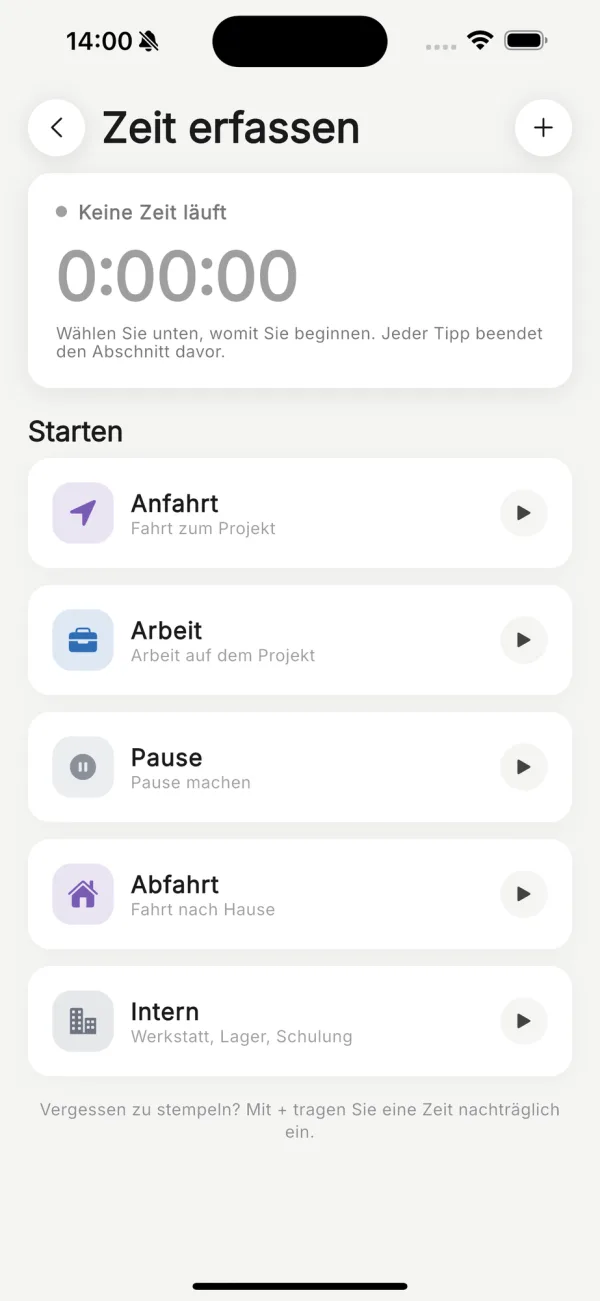
Friday's slip no longer knows what Monday was.
Hours written down from memory at the end of the week are estimates. Here the day is recorded while it happens: arrival, work, break, drive home, each section with its time and project. The office types nothing up and does not have to ask.
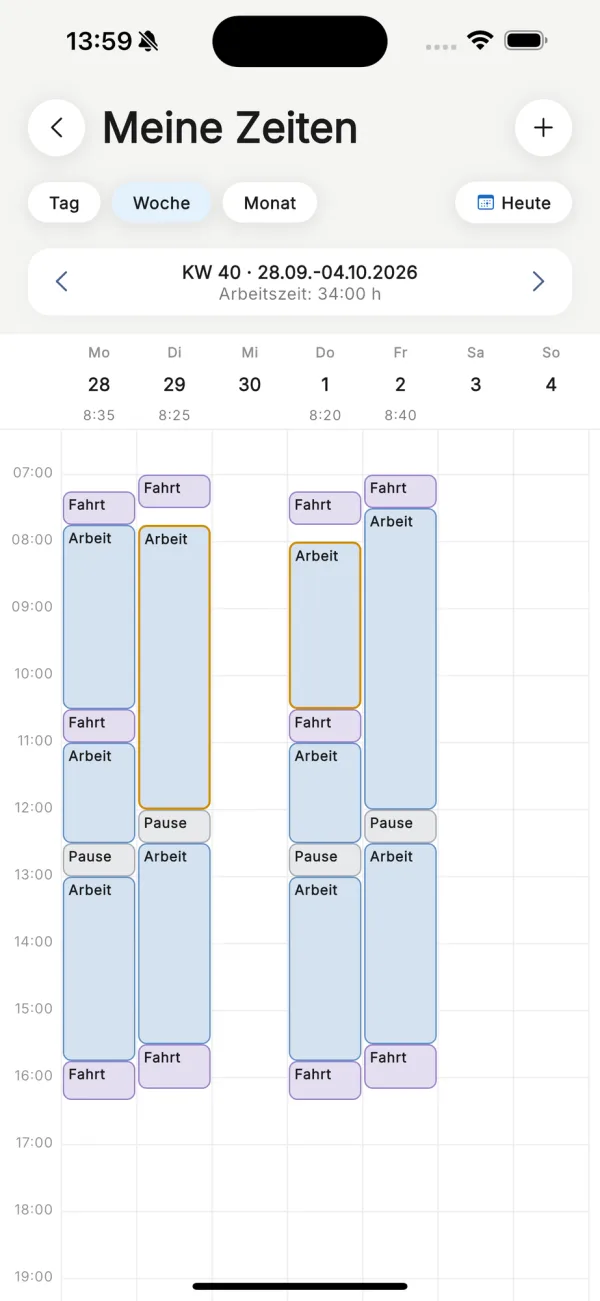
The week at a glance.
Day, week or month. Each section is a block in its colour, with the working time above it. Forgot to clock? Tap the hour and the time is added. In the app and in the office.
Travel is travel. A break is a break.
Work, travel, breaks and internal time are booked separately, each with a start and an end. Work and arrival belong to a project, with the activity alongside. So you see how many hours a job really took.
Check, tick, approve.
All open time sits in one list, with search, project and timeframe. Unremarkable entries are approved together. Where someone changed an entry afterwards or two entries overlap, there is a flag. Administrators approve in the office or in the app.
Mistakes are fixed by whoever made them.
Until approval everyone changes their own entries. After that it takes a request with a reason, and the office accepts it or rejects it with an answer. When the office changes an approved entry, it states why. Every entry keeps its history.
The break is missing? It says so.
Krahasso flags days on which the break was too short, more than six hours were worked in one stretch, or working time went over ten hours. The employee sees the flag on their day, the office in the approvals list. The decision stays with you.
The timesheet for the project. As a PDF.
Choose the project and the period, download the PDF. It lists approved hours only: one row per employee per day with from, to, break, work, travel and activity, plus the totals and two lines for a signature. With your company details at the top.
Approved? The phone says so.
When time is approved or changed, or a request is answered, the employee is told by notification and push. The office gets an email on weekday mornings when time or requests are waiting. On days with nothing open, nothing is sent.
See it on a job of your own.
A short call where we walk through your actual workflow and show what it looks like in Krahasso.
Hosted in Germany
Servers and backups sit in German data centres. Processing under Art. 28 GDPR, with the DPA included.
E-invoicing to EN 16931
With the Commerce module: every invoice as XRechnung or ZUGFeRD, mandatory fields checked before it goes out.
Backed up daily
Backups at a second German data-centre site, kept for 31 days.
Your data stays yours
Projects, receipts and documents export to file whenever you want, including on your way to someone else.
More in Oversight
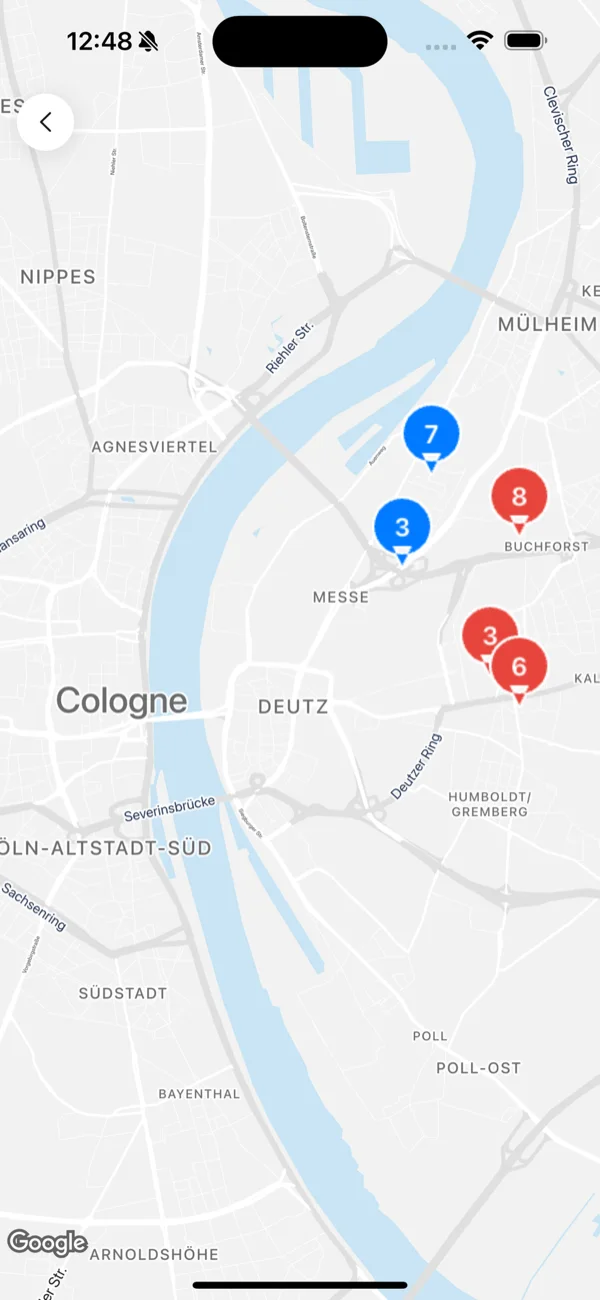
Live map
Every active project and machine on one map, overdue projects in red. Click a marker, read the detail.
-
Dehumidifiers82 %
-
Fans61 %
-
Heaters48 %
Analytics
Utilisation and idle days for your machines. Drying duration and overdue projects. Over the period you choose. The commerce module adds the finances.
-
MS
AdministratorM. SchneiderAccount, team, billing
-
TF
StandardT. FischerProjects, equipment, reports
-
AK
Drying technicianA. KrauseDrying visits only
-
LW
ViewerL. WeberRead only, changes nothing
-
neu@sanierung-beispiel.deInvitation pending
Team & roles
Four roles, from administrator to drying technician. Everyone is invited by email and sets up their own access. Secured with a code by email.
-
Repeat the bathroom measurementToday, 10:00 Deutzer Freiheit 72FromM. Schneider ForYou2 comments
-
Call the property manager backToday, 14:00FromT. Fischer ForYou
-
Upload photos for the adjusterYesterday, 16:00 Siegburger Str. 108FromM. Schneider ForYou
Tasks
One task, one person, one due time. On a project or on its own. Whoever gets it hears straight away, by notification and email.
Your first job. Set up together.
We set up your warehouse and your first project with you. On the call we work out which modules fit your business. Every number that is right on site is right in the report.

30-day money-back guarantee. No credit card.