
The assessment is watertight. From the first visit.
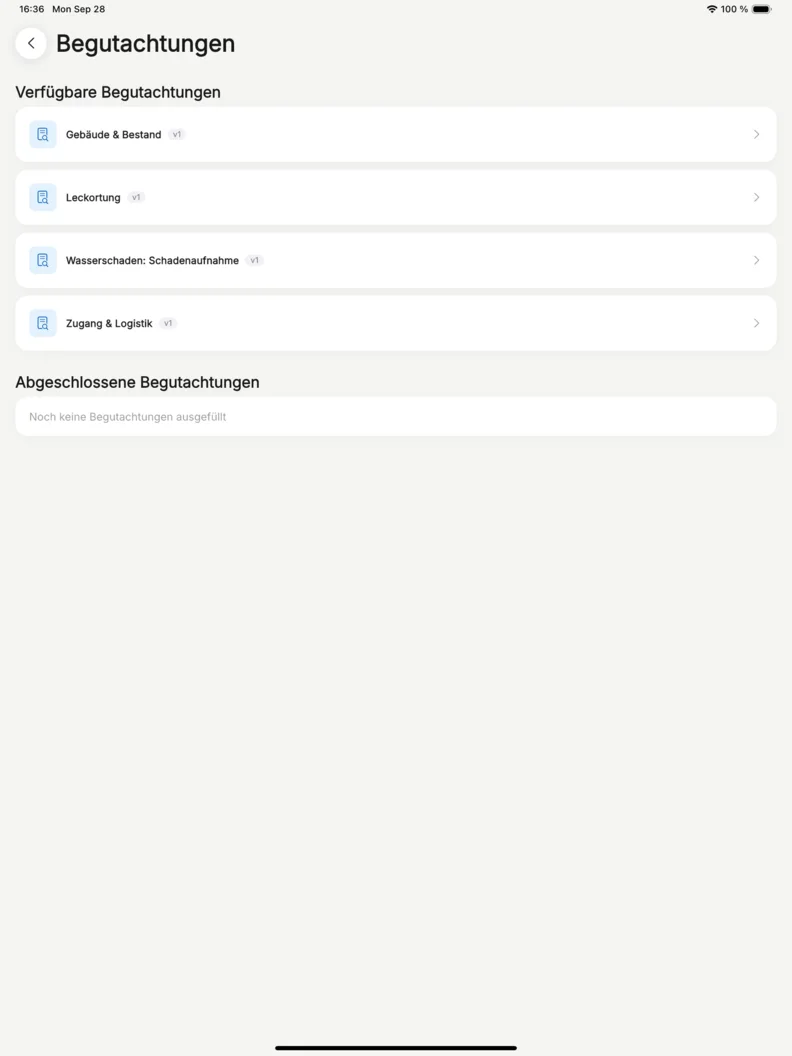
Access. Building. Damage. Leak detection. Drying plan. Five templates with 193 questions ship with the account. Your technician works through them offline, question by question. Back in the office, everything for report and invoice is waiting.
- Five templates from day one. Or your own.
- Only the questions the last answer still calls for
- No second trip out for a forgotten question


30-day money-back guarantee. No credit card.
-
Zugang & Logistikv129 questions
-
Gebäude & Bestandv134 questions
-
Wasserschaden: Schadenaufnahmev153 questions
-
Leckortungv141 questions
-
Feuchtemessung & Trocknungsplanungv136 questions
Use, adapt or replace. Your choice.
The five templates are the starting point for your own routine. They arrive as a draft and are published once before first use. From there you adapt them or build your own in the same editor. Your crews then ask exactly what your office needs later.
Five templates, 193 questions. From day one.
Access and logistics. Building and condition. The damage itself. Leak detection. Moisture readings and drying plan. The templates build on each other and can be assigned one by one. Each project gets only the parts it needs. Your technician loses no time on questions that do not fit.
We build in it. So do you.
The five templates were built in this editor. You change any of them yourself, without waiting on us. A form of your own you build there from scratch.
- Sections and questions
- A section is a frame on the canvas, with its questions inside. Title, question text and answers are typed straight into the card. Everything saves as you go, so there is no save button.
- One field type per question
- Short text. Long text. Number. Reading with its unit. Single and multiple choice. Yes/no. Date, with or without time. Photo. You pick the type as you add the question, from a list grouped by kind.
- The path is drawn
- Krahasso lays out a section's questions for you. Each condition becomes a labelled arrow from the question that triggers it. You see the whole flow at a glance.
- Required and photos, per question
- Any question can be marked required. Any question can accept photos, even one that is not a photo question. The office sees each photo right on the question it belongs to.
- A preview of the real thing
- The preview walks through the form question by question. It shows it as your technician sees it on site, minus hidden questions. Nothing is saved from it. Mistakes show up in the office, not in the basement.
- Suggestions from the AI assistant
- Your sections and questions get suggestions from the AI assistant. A new question. Different wording. A condition. Each suggestion arrives as a card, and one click puts it on the canvas.
Different answer, different questions. All in one template.
A question or a whole section appears or disappears based on earlier answers. Combine conditions with "all of" or "at least one of". A category 3 loss gets the extra questions, a category 1 loss skips them. Krahasso checks the rules before you publish.
The answer stays. So does the wording.
A published version stays exactly as it is. Changes go into a new version, and every assessment keeps its wording. When the adjuster asks months later, everything reads as it did. What you ask cleanly on site, you bill cleanly later.
See it on a job of your own.
A short call where we walk through your actual workflow and show what it looks like in Krahasso.
Hosted in Germany
Servers and backups sit in German data centres. Processing under Art. 28 GDPR, with the DPA included.
E-invoicing to EN 16931
With the Commerce module: every invoice as XRechnung or ZUGFeRD, mandatory fields checked before it goes out.
Backed up daily
Backups at a second German data-centre site, kept for 31 days.
Your data stays yours
Projects, receipts and documents export to file whenever you want, including on your way to someone else.
More in Site assessment
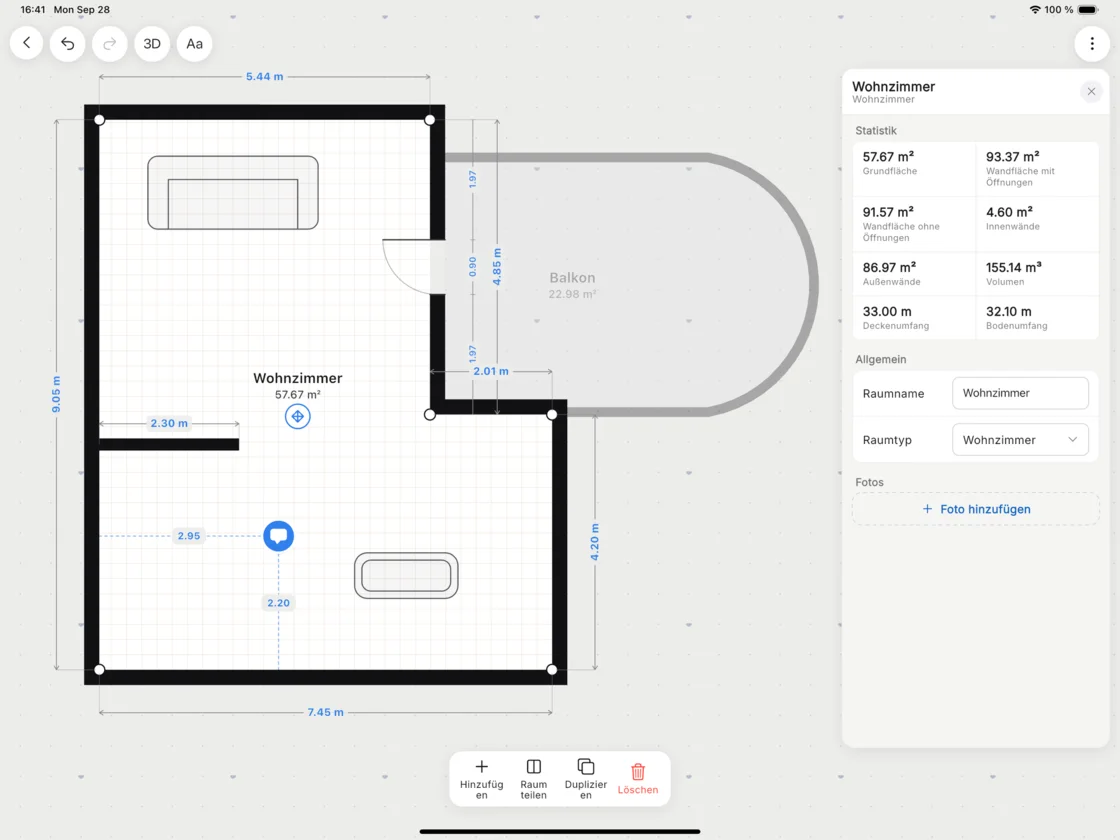
Floor plan & measurements
Rooms, doors and windows drawn in minutes, or scanned by LiDAR on iPhone Pro and iPad Pro. Dimensions come off a Bluetooth laser, notes sit where something stands out. Areas, wall areas and volumes are worked out as you go. Painters, tilers and floor layers read their VOB quantities straight off.
-
Damage assessmentQuestion: affected building elements+2
-
Room on the floor planWohnzimmer, 57.67 m²+1
-
Measuring point MP-3Visit 4, screed 12.4 %+2
- Leckortungsbericht.pdf 116 KB
- Trocknungsprotokoll.pdf 284 KB
Photos & documents
Photos attached to the question, the room or the reading they belong to. Project files and notes sit right beside them.
Your first job. Set up together.
We set up your warehouse and your first project with you. On the call we work out which modules fit your business. Every number that is right on site is right in the report.

30-day money-back guarantee. No credit card.