
Every task has a name. And a due time.
Repeat the measurement. Collect the dryer. Call the property manager. Each task goes to one person, with a date and a time. They are told at once and tick it off when it is done.
- One person per task, with a date and a time
- A notification and an email as soon as a task is assigned
- Questions in the comments. Type @ and a colleague is in.


30-day money-back guarantee. No credit card.
-
Repeat the bathroom measurementToday, 10:00 Deutzer Freiheit 72FromM. Schneider ForYou2 comments
-
Call the property manager backToday, 14:00FromT. Fischer ForYou
-
Upload photos for the adjusterYesterday, 16:00 Siegburger Str. 108FromM. Schneider ForYou
Shouted instructions get forgotten. Tasks do not.
A lot gets shouted across a site. Repeat the measurement, fetch the key, call the client. Here each one becomes a task with a name and a due time. Nothing slips, and no invoice waits on a forgotten call back.
Quickly assigned. On the right project.
Task. Person. Due time. Project. That is all it takes. Today, Tomorrow or Next week sets the date in one click. Started from a project, the project is already filled in.
Your list. Ordered by what is due.
Today. This week. This month. Overdue. Your tasks are grouped by date, the urgent ones on top. What you handed out has a view of its own. As an administrator you see every task on every project.
The question sits on the task. So does the answer.
Where is the key? When is the adjuster coming? The answer is in the comment under the task. Type @ and bring in a colleague. Whoever is mentioned is told and can join in.
New task. Told at once.
Whoever gets a task hears straight away, by notification and email. Once it is done, whoever assigned it knows. At 7 every morning, a summary of everything due.
Whoever writes it decides. Whoever gets it ticks it off.
Only the author may change or delete a task. The person it is for ticks it off. Personal reminders stay personal. Only the people involved see them.
Say it once. It is assigned.
"Task for Kim: repeat the bathroom measurement, tomorrow at 10." You say the sentence, and a card shows person, due time and project. One click on Apply, and Kim has the task. What gets noted gets done. What gets done gets paid.
See it on a job of your own.
A short call where we walk through your actual workflow and show what it looks like in Krahasso.
Hosted in Germany
Servers and backups sit in German data centres. Processing under Art. 28 GDPR, with the DPA included.
E-invoicing to EN 16931
With the Commerce module: every invoice as XRechnung or ZUGFeRD, mandatory fields checked before it goes out.
Backed up daily
Backups at a second German data-centre site, kept for 31 days.
Your data stays yours
Projects, receipts and documents export to file whenever you want, including on your way to someone else.
More in Oversight
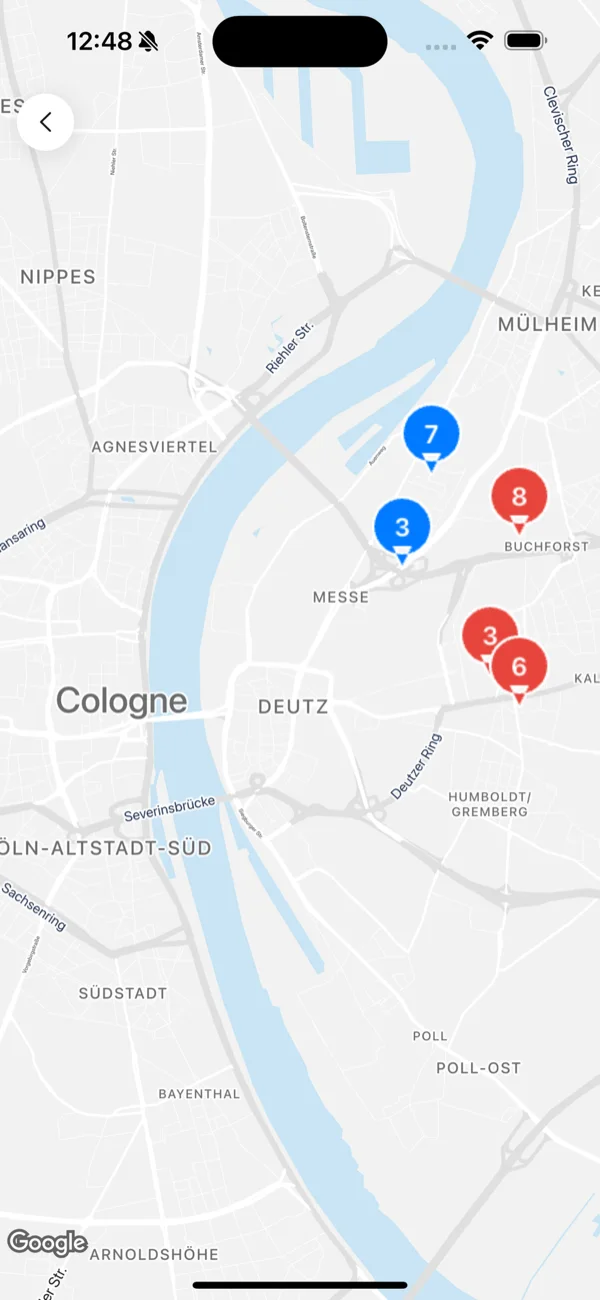
Live map
Every active project and machine on one map, overdue projects in red. Click a marker, read the detail.
-
Dehumidifiers82 %
-
Fans61 %
-
Heaters48 %
Analytics
Utilisation and idle days for your machines. Drying duration and overdue projects. Over the period you choose. The commerce module adds the finances.
-
MS
AdministratorM. SchneiderAccount, team, billing
-
TF
StandardT. FischerProjects, equipment, reports
-
AK
Drying technicianA. KrauseDrying visits only
-
LW
ViewerL. WeberRead only, changes nothing
-
neu@sanierung-beispiel.deInvitation pending
Team & roles
Four roles, from administrator to drying technician. Everyone is invited by email and sets up their own access. Secured with a code by email.
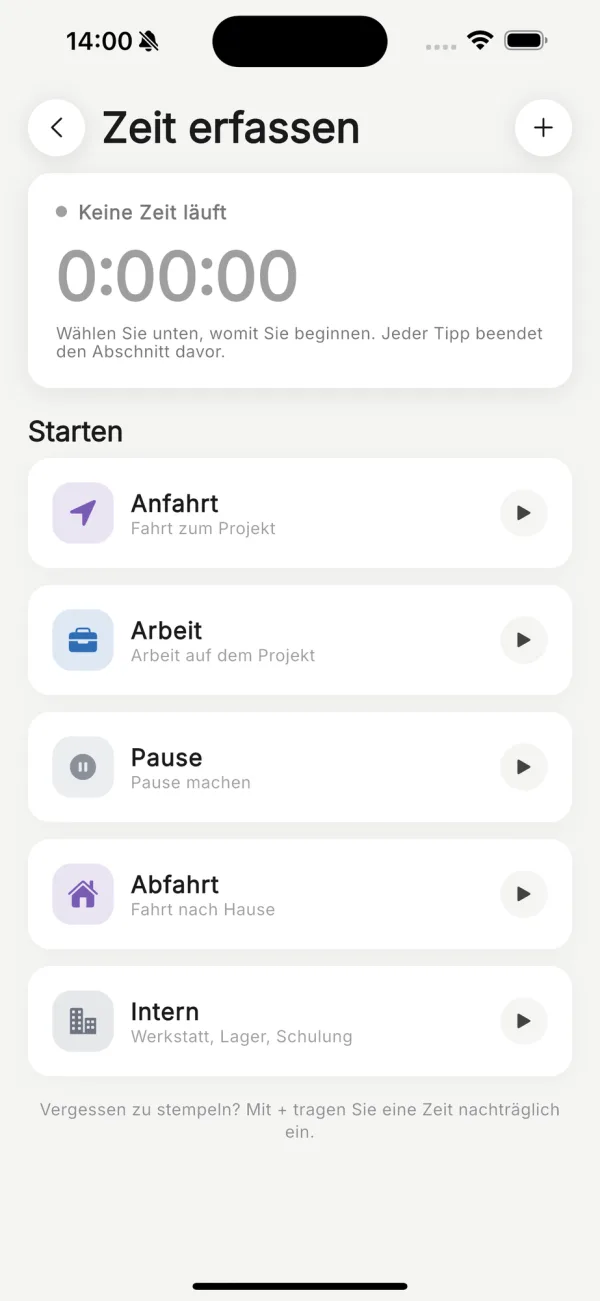
Time tracking
Travel, work, break: one tap in the app, booked to the project. The office approves. The timesheet comes as a PDF.
Your first job. Set up together.
We set up your warehouse and your first project with you. On the call we work out which modules fit your business. Every number that is right on site is right in the report.

30-day money-back guarantee. No credit card.